"I just don't know enough!" Improving NYU Skirball's content and navigation

NYU Skirball is a performing arts theater in New York City focused on cutting-edge performances. Over the course of 6 weeks, our team conducted a usability evaluation on their website to understand how to improve their usability and metrics.
Team
Elizabeth Serjantov
Liwei Jiang
Madison Magnani
My role
UX researcher
Tools
Private Panels
Figma
Timeline
Oct - Dec 2025

The problem

Our client, NYU Skirball, came to us with the problem statement: existing patrons gave the feedback that "the current user interface isn't intuitive." Specifically, the ticket purchasing flow feels long and confusing, leading to high drop-off rates through the process. Additionally, improvements needed to be made to encourage users to donate or become a member. Overall, the website's usability and user experience needed to be improved.

The solution

Our team conducted 8 remote moderated user tests and analyzed our findings to come up with four key recommendations:
Recommendation #1: Restructure the membership tier information
Recommendation #2: Include membership information throughout the checkout process
Recommendation #3: Reorganize the navigation bar
Recommendation #4: Redesign the 'Select Different Events' section

How can we best test this out?

Based on initial discussions with our client, we decided to narrow our scope to testing the following pages on their website:
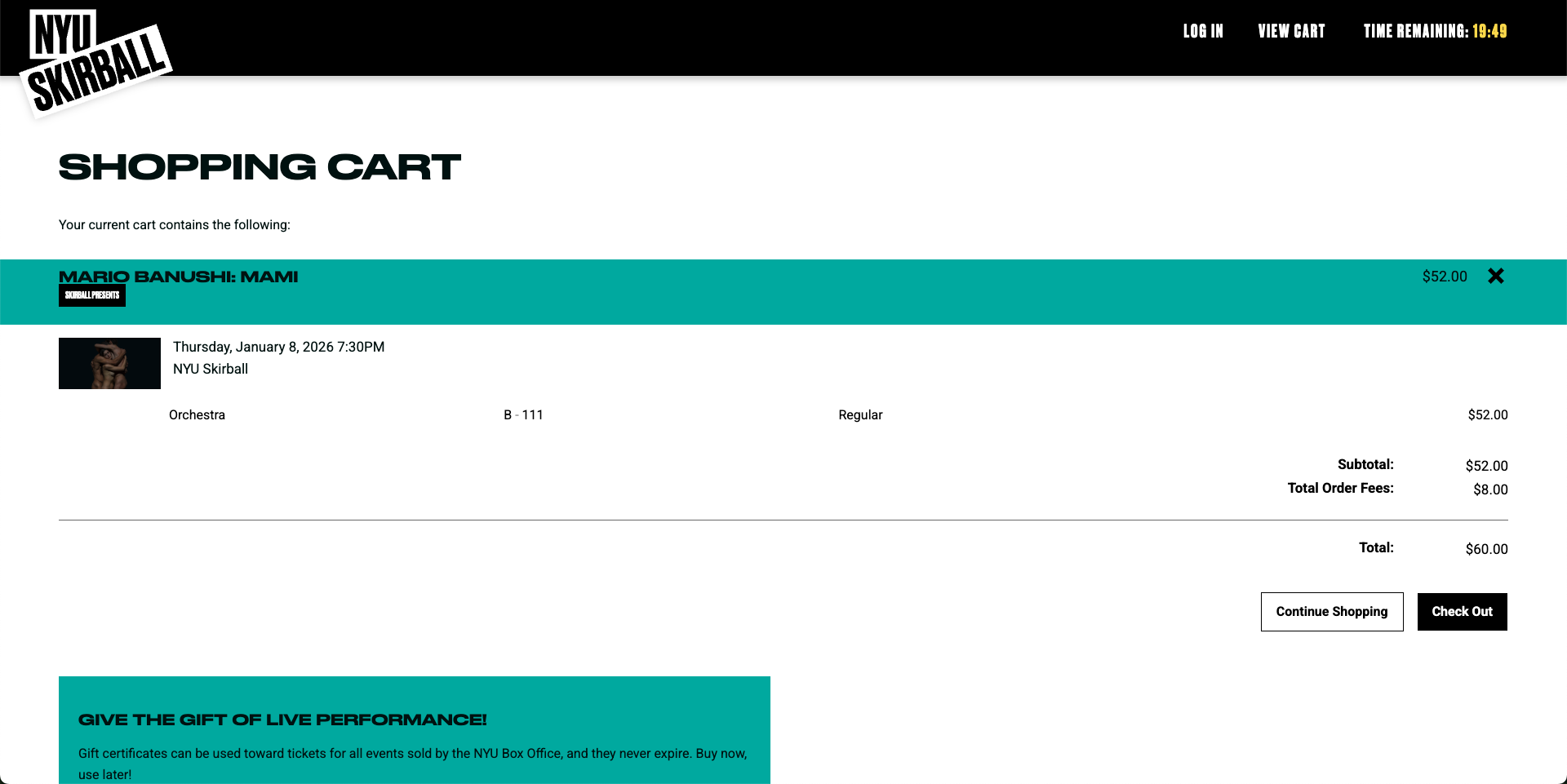
The ticket purchasing flow
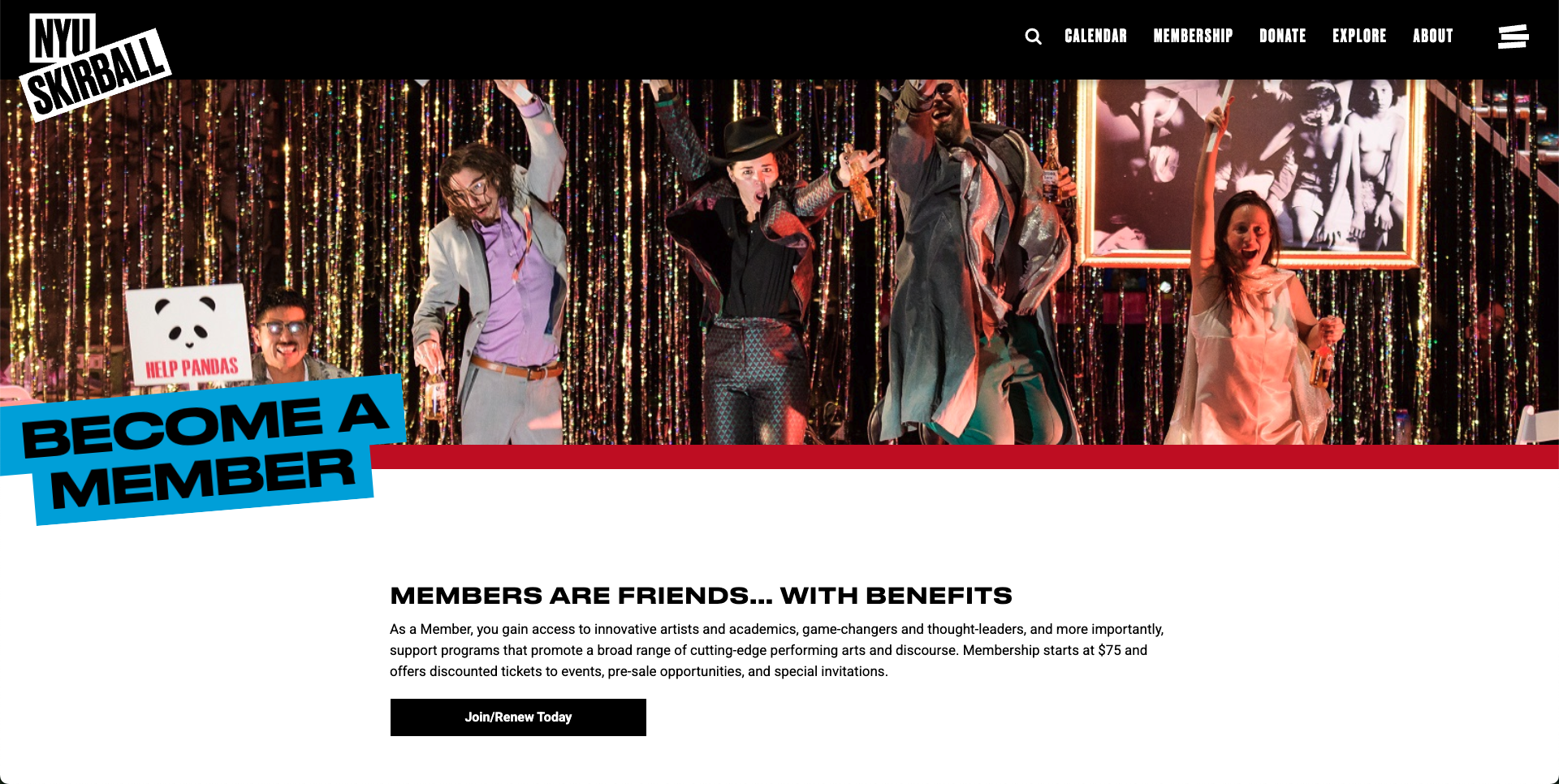
The membership pages
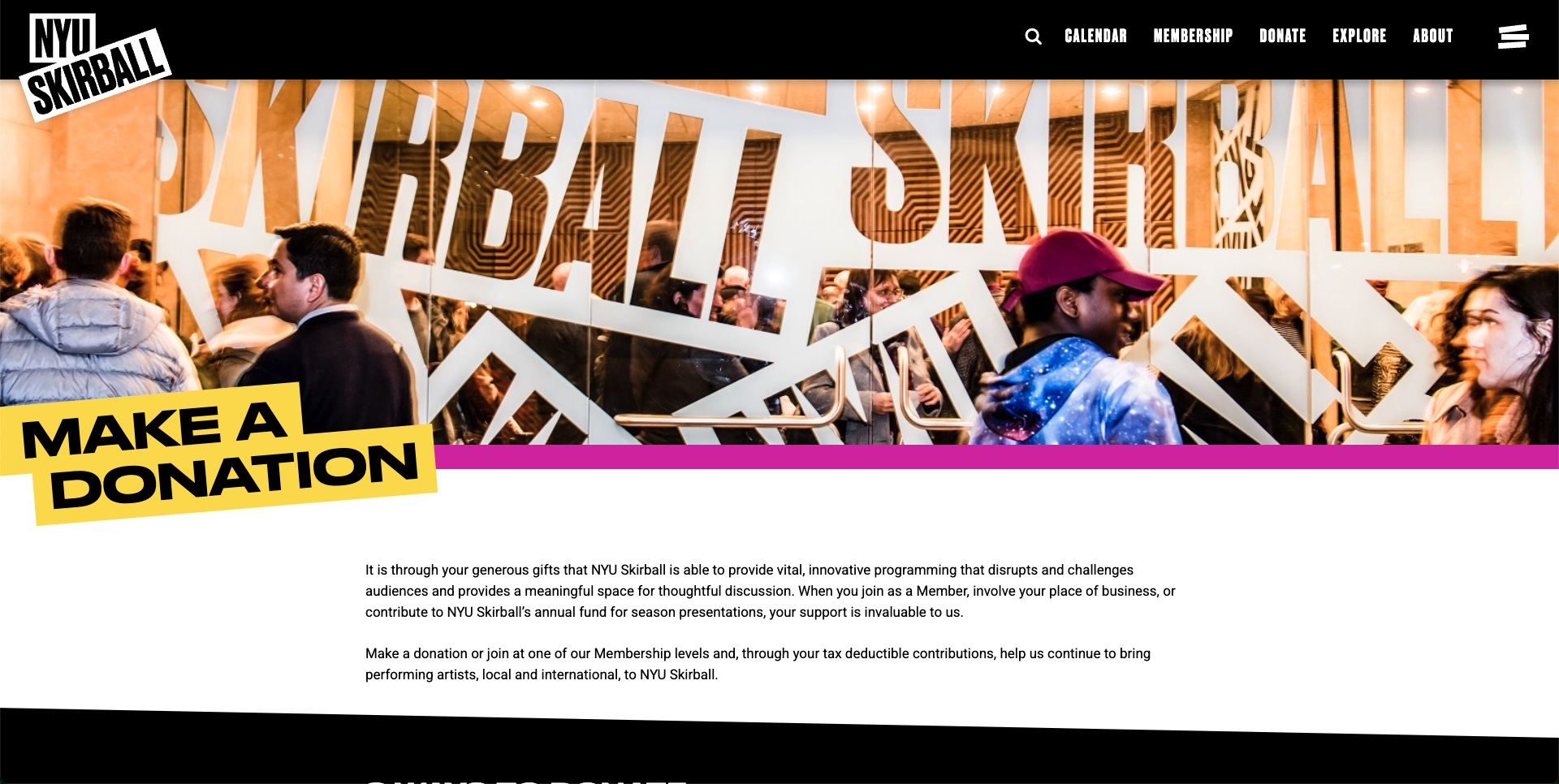
The donation pages
Our team decided to conduct remote moderated user tests over Zoom and Google Meet in order to check for potential usability issues on the NYU Skirball website. This allowed us to test quickly, to ask participants to expand on their thoughts and opinions, and to adapt the testing script as needed. We used the following methodology when creating our test plan:
Step 1: Recruit participants
Recruit 8 participants who match target interests using screener questions
Step 2: Pre-test questionnaire
Get information from participants regarding their live event watching and spending habits
Step 3: User testing
Have participants complete 3 tasks on website and answer questions based on the task
Step 4: Post-test questionnaire
Get participants' final overall thoughts on website and their experience
Step 5: Gather insights
Compile together notes, complete competitive analysis, and make recommendations
When conducting tests, we gave users the following scenario and tasks to complete.
Scenario: You, a new user, visits NYU Skirball’s website to see what live shows they offer/will offer. 
Task 1: Purchase a ticket for an upcoming live performance.
Task 2: Locate where you would find information about the membership(s) and what they offer you.
Task 3: Locate where you can donate, and what options are available.

Recruiting users and evaluation

A short recruitment period, but getting it done

Because of our short timeline, we only had about a week to recruit 8 test participants and conduct our user testing. Due to this time constraint, we used a mix of recruiting via Dscout Private Panels and our own personal networks. As our client wanted us to focus on testing with new users who lived in the New York City area, we used the following screener questions to filter out participants:
  • Do you live in or near New York City?
  • Have you ever used NYU Skirball's site before?
We also wanted to collect some data on our participants experiences with live events, donating, and becoming a member, so we included the following questions as well:
  • In the past 12 months, how often have you purchased tickets online for live events such as theater, dance, music, or comedy?
  • Have you ever donated to or joined a membership program for a performing arts center, theater, dance, music, or comedy?

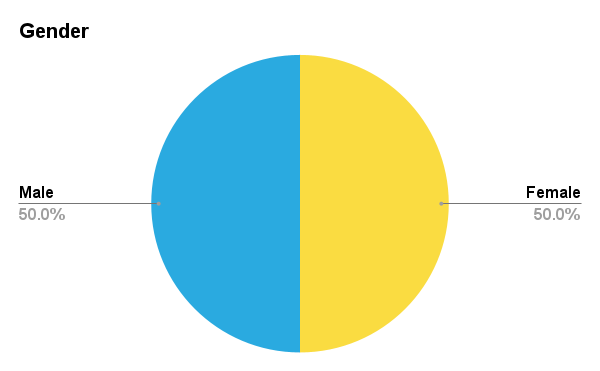
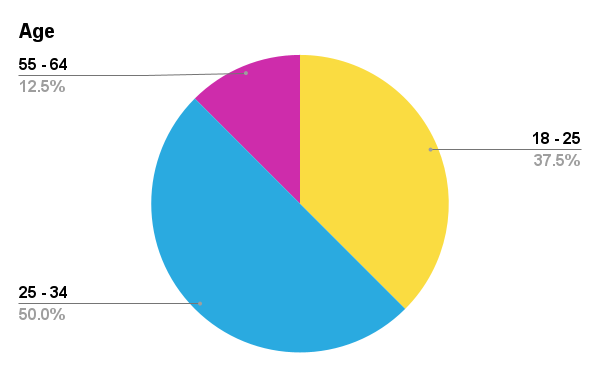
Who our participants are

The consensus: It looks cool, but doesn't work too well

“The visuals are really cool. They make NYU Skirball look reputable and really high quality.”
Overall users liked the site and experience:
62.5%
found the tasks to be easy
87.5%
would recommend to a friend
62.5%
complimented the overall site design
“I'd recommend this to a friend for its branding... but not the functionality. Definitely not.”
However, there were some issues found during testing:
50%
couldn't understand some content
62.5%
struggled with navigation
62.5%
found the ticketing flow confusing/annoying
Based on our notes and issues found, we've decided to prioritize four recommendations to make to the client.

How might we improve NYU Skirball's website?

It’s hard for me to choose, I know I saw the membership levels on the previous page, but I can’t remember them.

Recommendation #1: Restructure the membership tier information

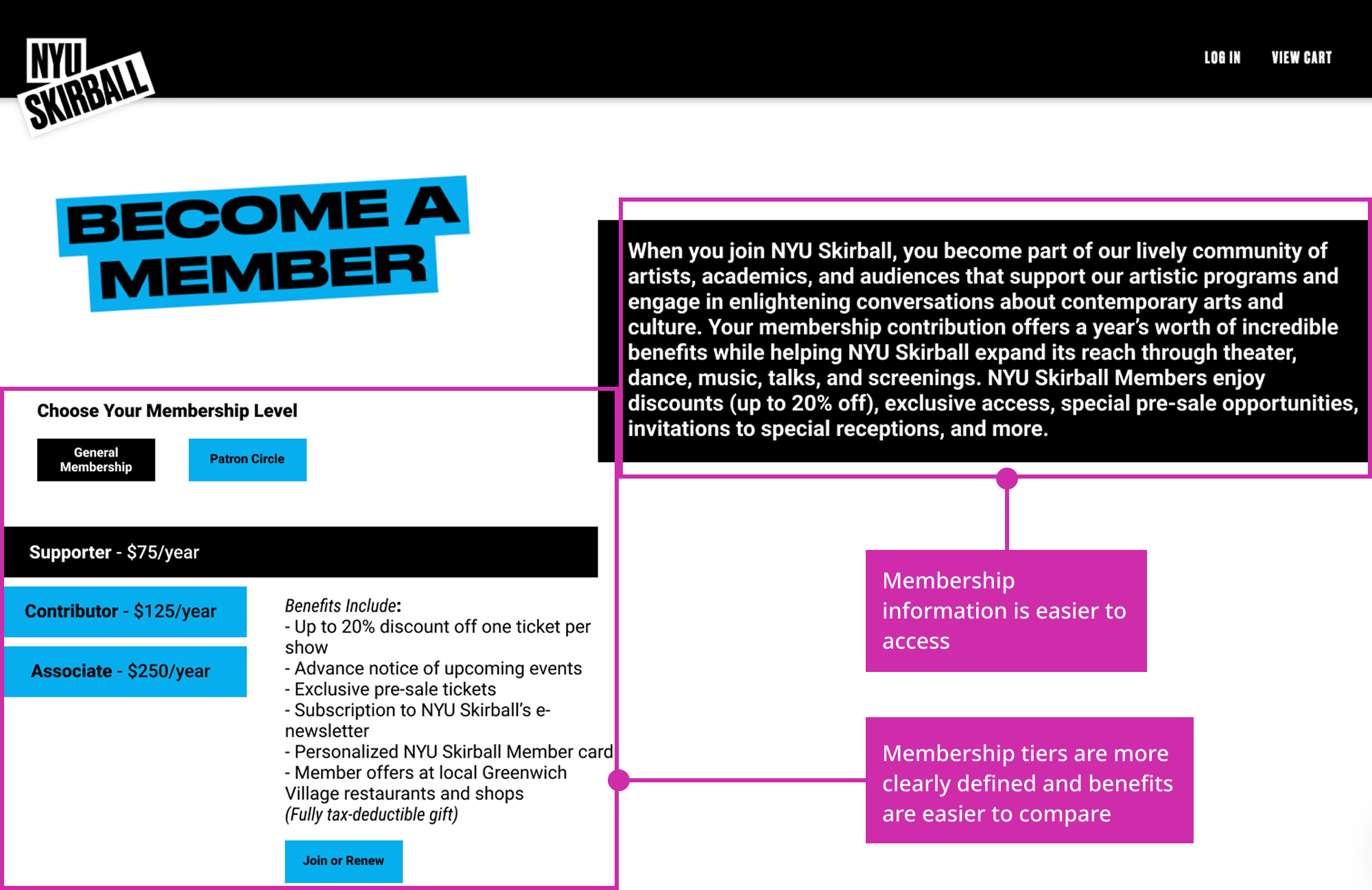
The problem: The membership page is hard for users to understand. The membership tier names aren't familiar to users, and users have a hard time comparing the tiers because they have to scroll up and down to read the benefits or overall membership information.
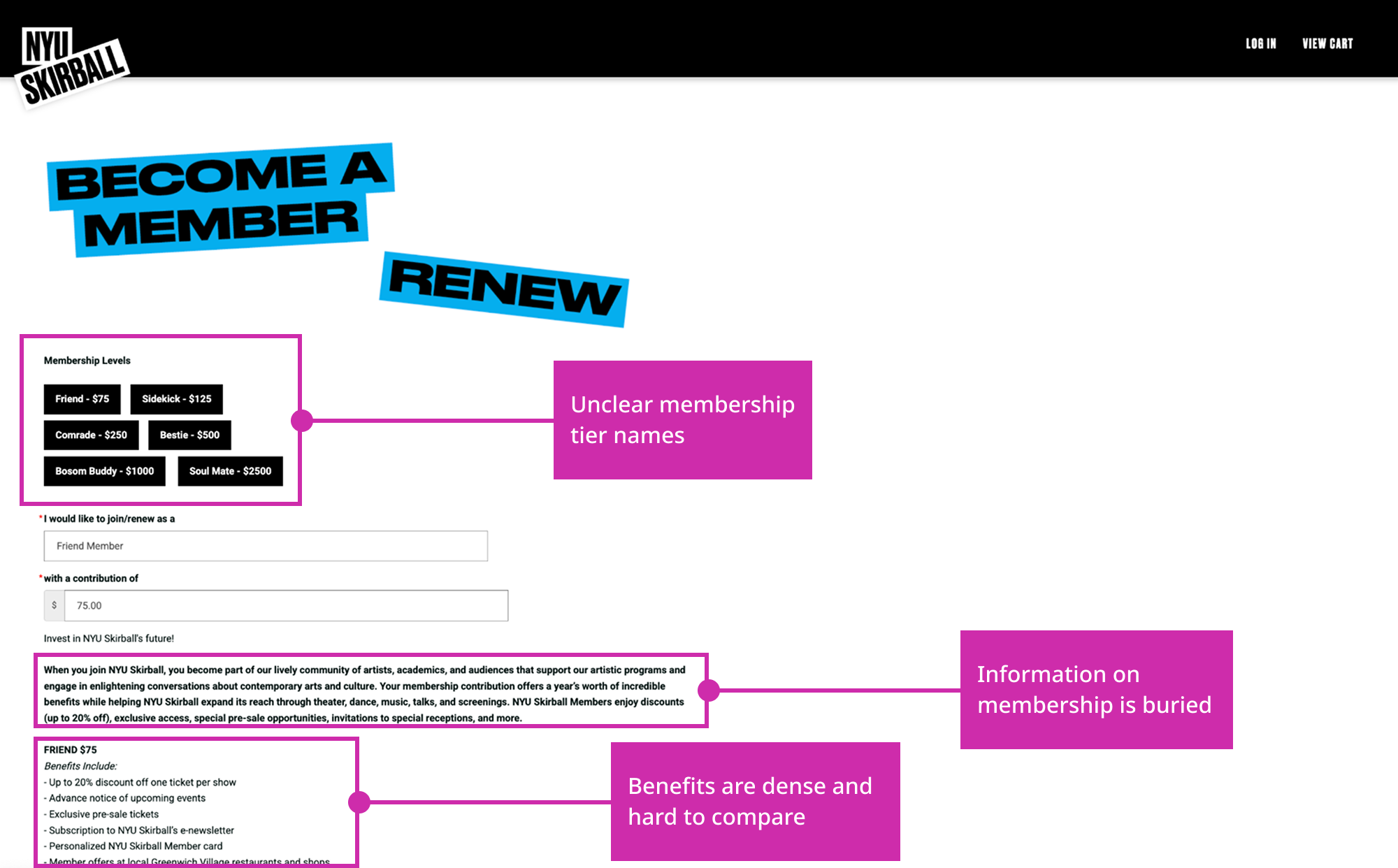
The solution: Make a component that allows users to easily switch between membership tiers to help them compare their benefits. Also make the general membership information more larger and more accessible in order to help users understand why they should get a membership in the first place.
“I’m not going to sign up for this just because I … just don’t know enough.

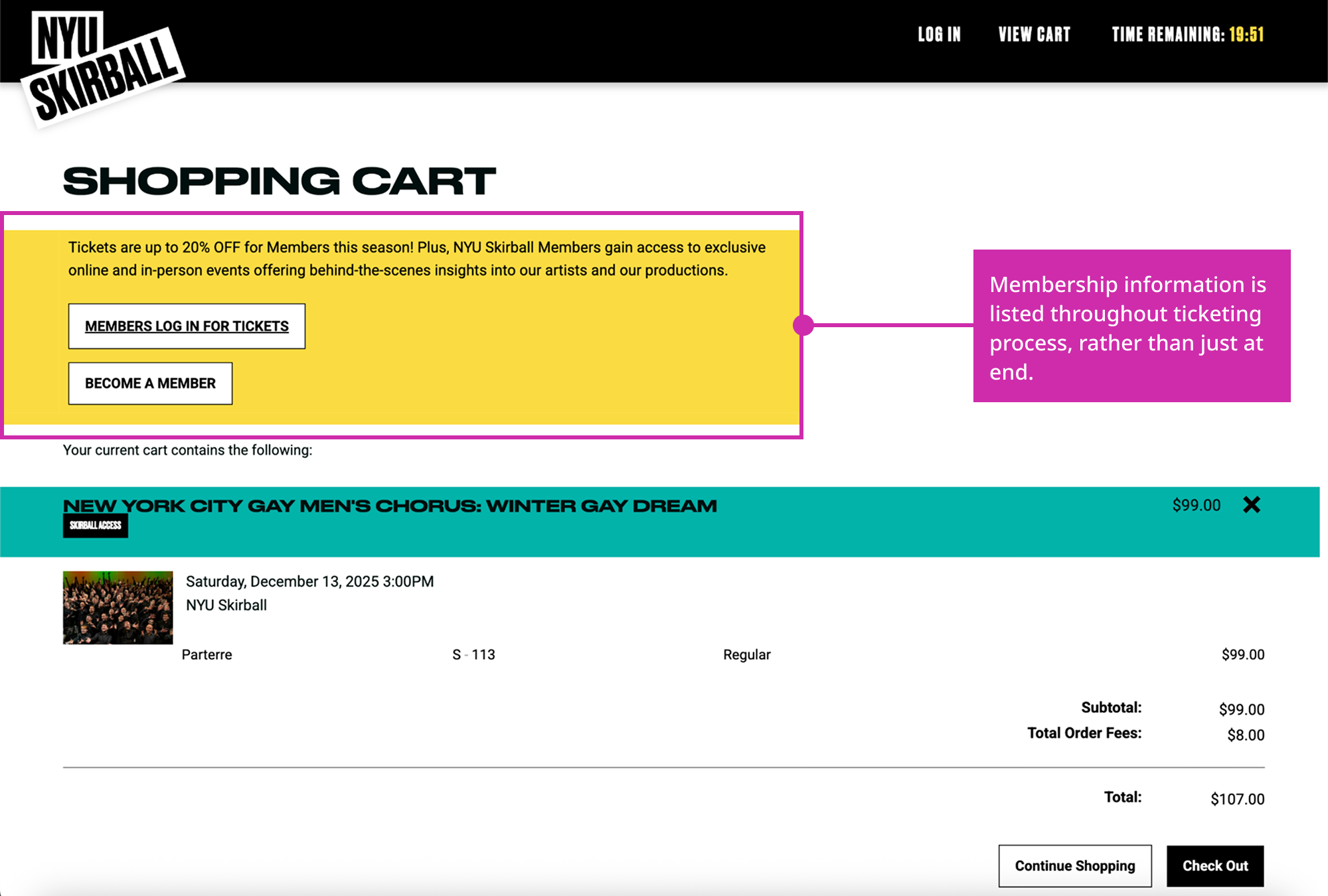
Recommendation #2: Include membership information through the checkout process

The problem: There is a lack of information about membership throughout the ticketing process, meaning that users don't have enough information to prompt them to actually become a member.
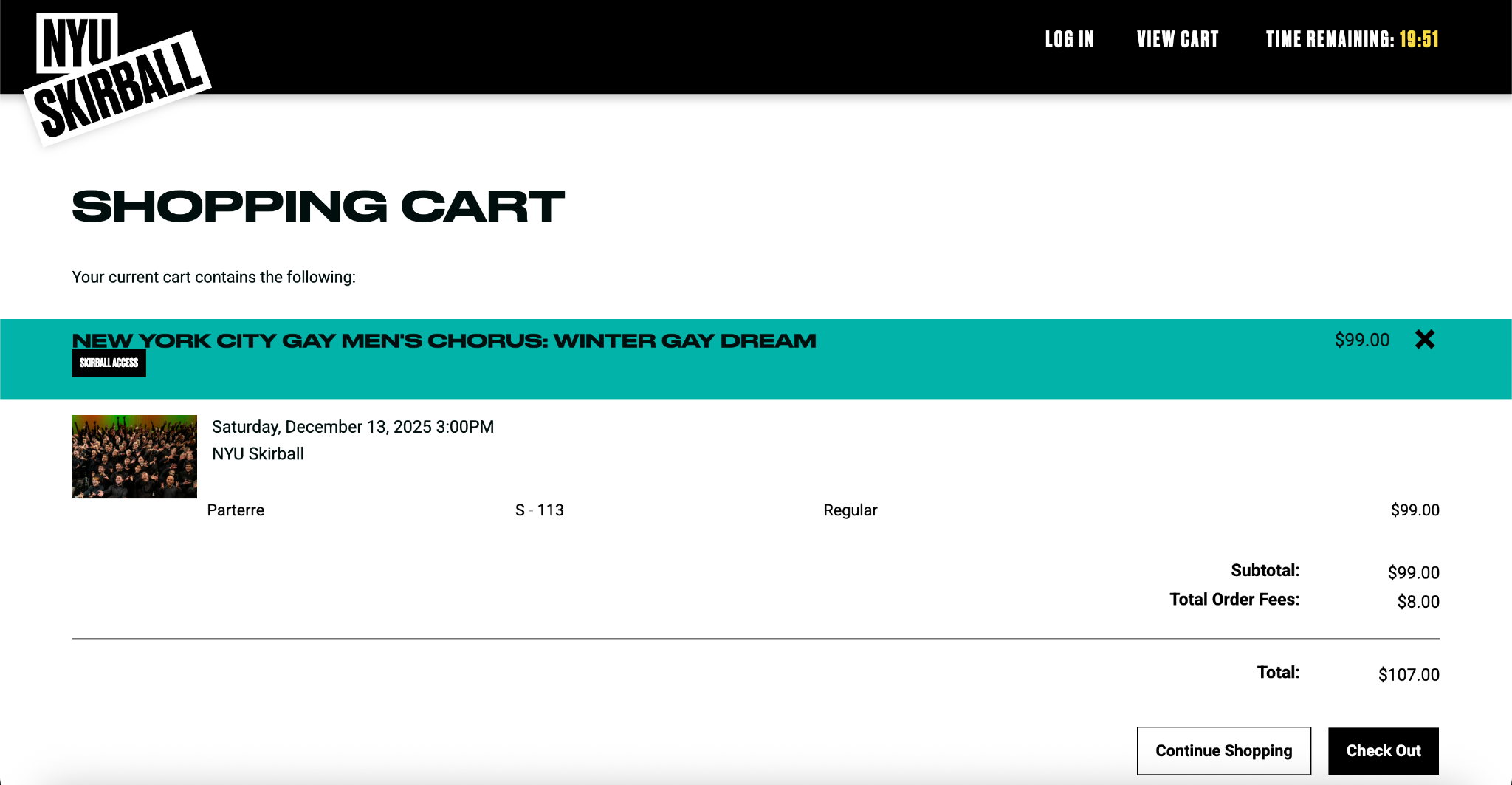
The solution: Add information on membership throughout the ticketing process so that users feel persuaded to sign up for a membership.
“Why won’t they let me edit my seat? … That’s really inconvenient, I think I’d just quit.

Recommendation #3: Reorganize the navigation bar

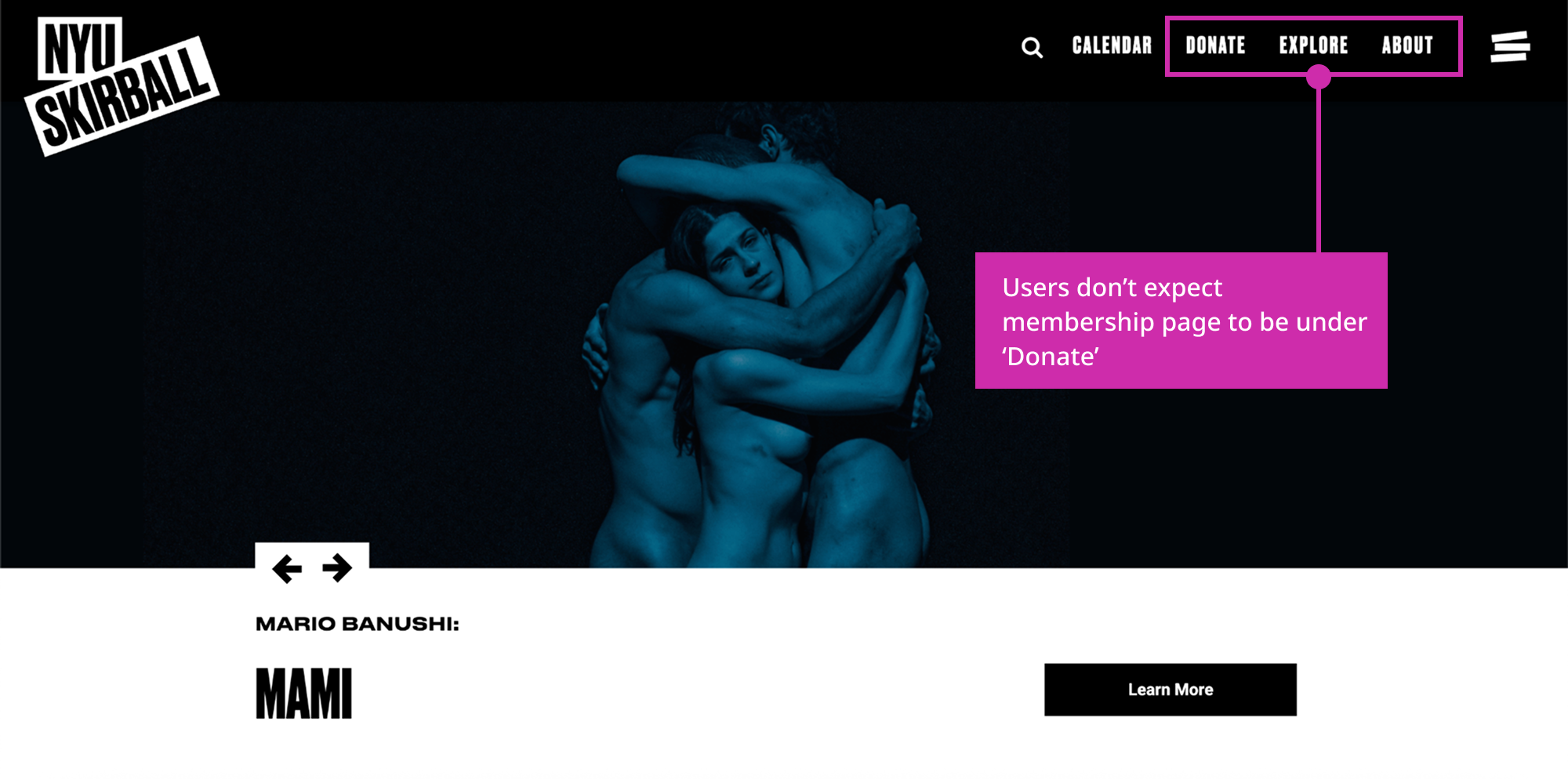
The problem: Users don't initially think that the membership page would be under the 'Donate' navigation item, so they navigate to 'Explore' or 'About' first before finding it under 'Donate'.
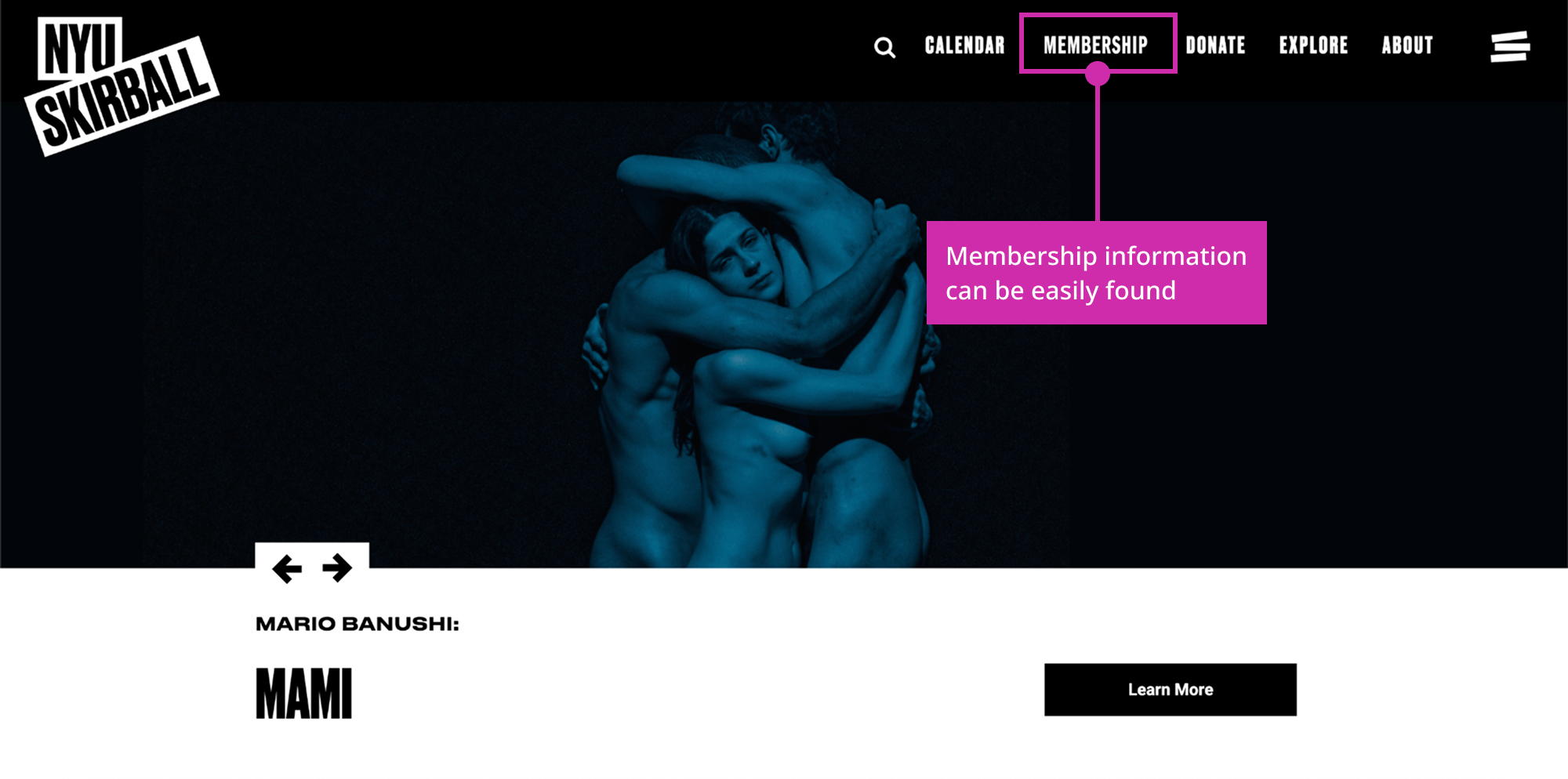
The solution: Create a new navigation item 'Membership' just to hold the membership page.
“Oh, that’s different … I didn’t expect it to be there at all … I really thought it would be under ‘About’ or ‘Explore.’”

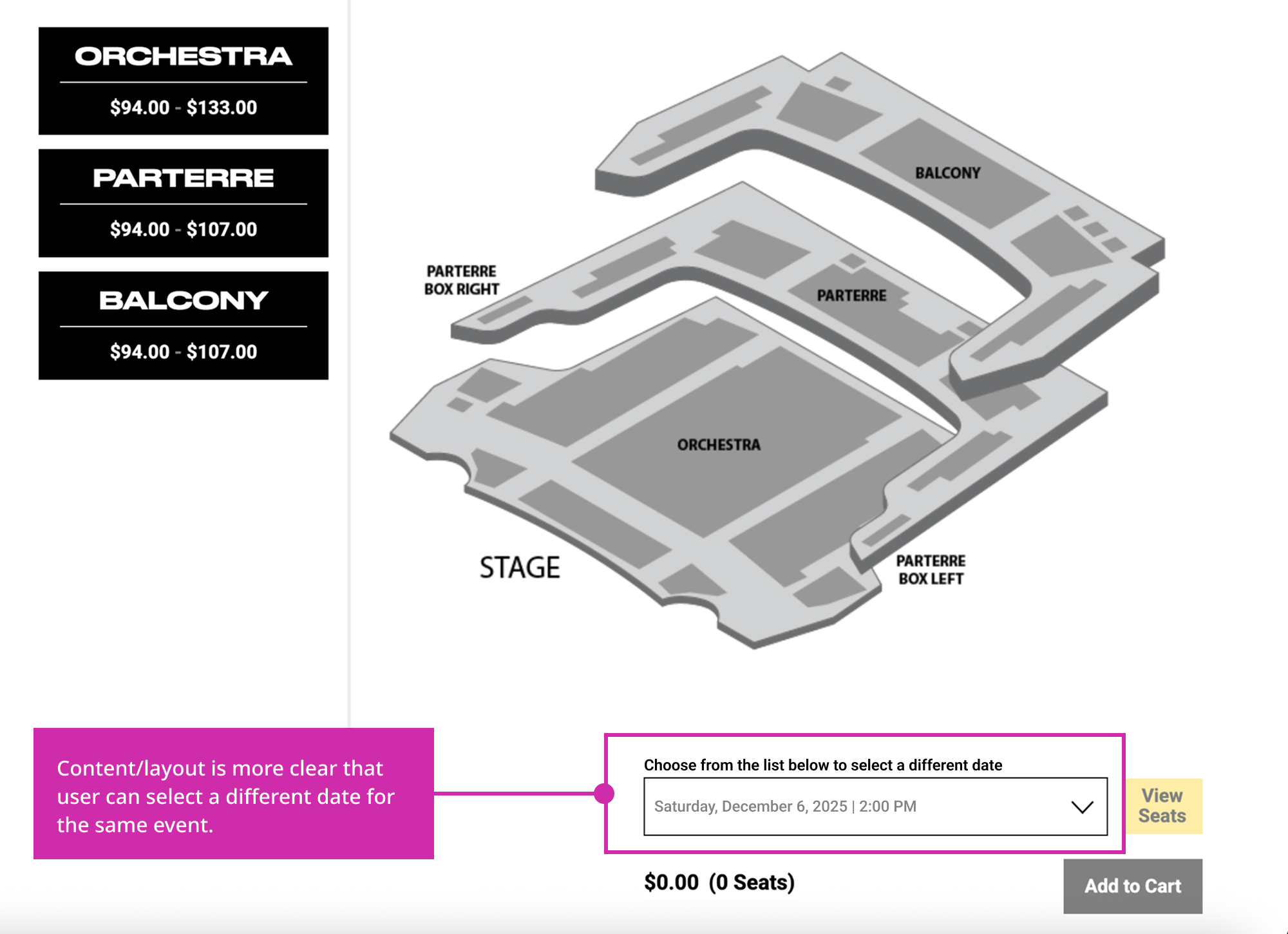
Recommendation #4: Redesign the 'Select Different Events' section

The problem: Content and layout regarding date selection aren't clear, leading users to believe that they have to re-walk through previous steps to re-select a date.
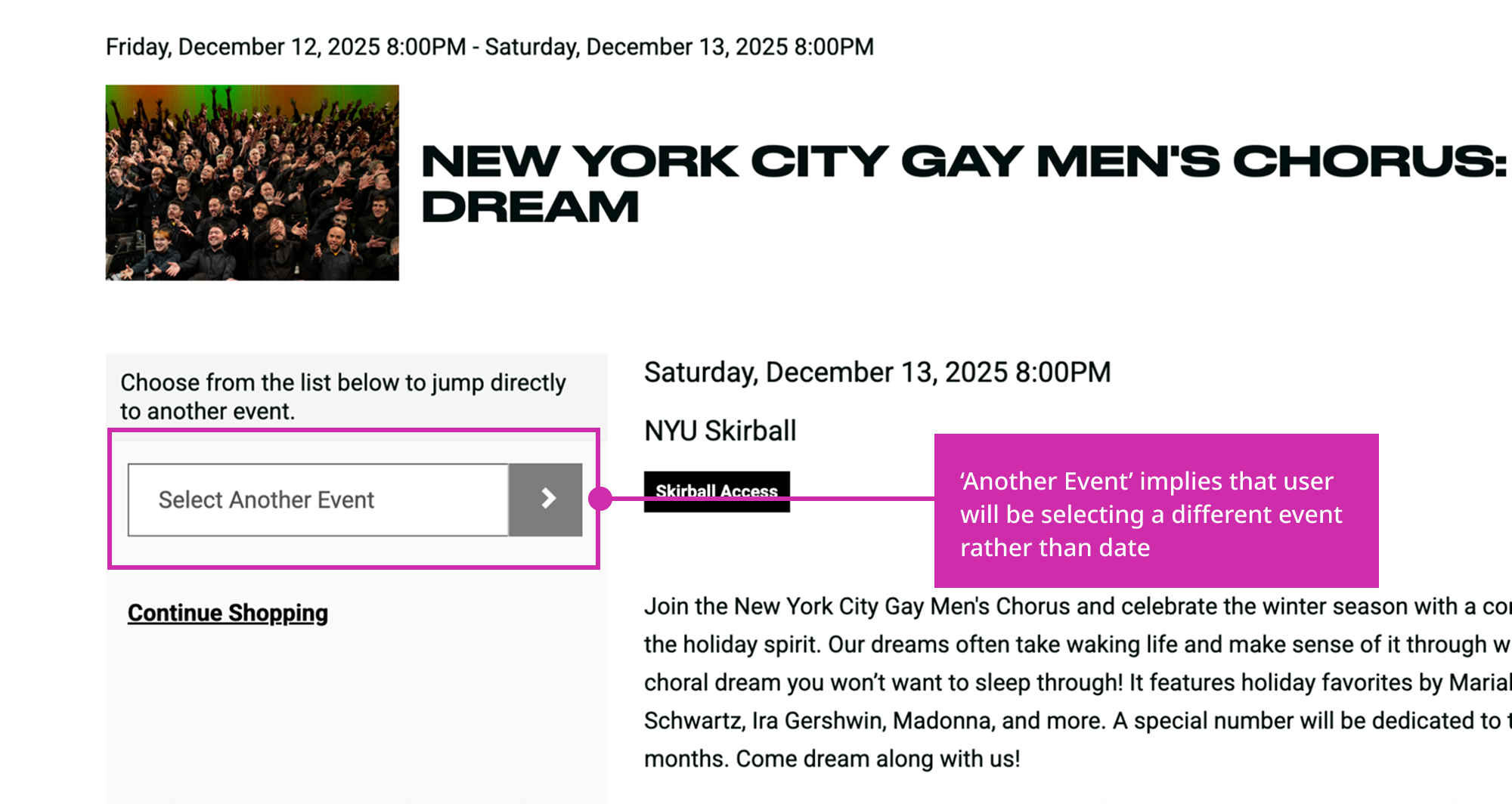
The solution: Make content more clear and date selection more obvious.
Thoughts from our clients (and our own)

Let's get to work...right now!

We presented our work to NYU Skirball at the end of our 6 weeks, and they were impressed with the work we've done. They learned that they should get more acquainted with new users, especially people who weren't familiar with the world of theater and weren't used to certain jargon. They also realized that there's a lot of learning to do for UI design patterns.

As they were in the middle of a website refresh with their web developers, they already started implementing some of the changes that we had suggested, notably adding the 'Membership' navigation item.

Collaboration and preparation are key

The biggest takeaway from this project was that constant collaboration and preparation are key, especially when it comes to working as a team for a client.

Initially, our team was unorganized when meeting with our client, failing to get as much insight as we wanted. However, we learned our lessons and prepared for our meetings the weekend before, and we even prepped for our presentations multiple times. This led to better communication between our team and the client, and we felt we left a great impression because we had come better prepared!