The new way to shop: Livly, a live shopping app

Livly is an influencer-led live shopping app built on trust, authenticity, and exclusivity.
Team
Apoorva Kavitkar
Kali Birdsall
My role
UX researcher
UX designer
Product manager
Tools
Figma
UX Metrics
Timeline
Sept - Dec 2025

The problem

Current live shopping experiences fail both influencers and users: users perceive them as cheap, chaotic, and untrustworthy, while influencers lack a dedicated platform to showcase their products without getting lost across fragmented social media channels. Low-quality, scattered experiences undermine trust and engagement for everyone involved.

The solution

A live shopping app where: the user's experience is #1 priority; trusted influencers host curated, exclusive shopping events; and entertainment, interactivity, and authenticity creating an engaging, personalized, and trustworthy experience

The process

The timeline

The impact

Connecting users to the influencers they love and trust
Bringing technology to influencers so they can reach their audience

Discovering the product and the users

Looking at our competitors

As our team was unfamiliar with live shopping apps, we conducted competitive analysis to find the answers to the follow questions:
  • What are other live shopping apps doing to help sellers connect and interact with their buyers?
  • How do they help users navigate through hundreds of live events and products?
  • Are they balancing functionality and aesthetic?
  • What are they doing right? Doing wrong?
  • How can we do better?

Learning about our users via interviews

To understand how users feel about live shopping and traditional online shopping, we conducted six 15-minute scripted interviews. We asked participants questions surrounding their live shopping and traditional online shopping experiences. These are some key pieces of information and stats from the interviews.
Demographics
  • 26 - 29 years old
  • Women
  • Middle to upper-middle class
  • Enjoy online shopping often
  • Follow influencers
Stats
  • 67% have watched live shopping events
  • 33% have purchased something from live shopping events
  • 83% would be more likely to watch a live event hosted by an influencer or celebrity they follow
  • 100% care about reviews and verifying that the seller is trustworthy and authentic
Quotes on pain points
  • “I think there is a lot of volume, there are a lot of posts. There are a lot of similar listings that can get overwhelming at times, especially when you have to research each product."
  • “I think they tried to repeat stuff a lot in case someone new was joining, they’d say the same thing over and over again."
  • “If it feels too spammy, if it doesn't feel genuine, if I can't 'marinate' on something...I probably wouldn't buy anything."

So, what do users want from a live shopping app?

Insight 1:
Trust & Authenticity
Users won’t participate or make purchases if they don’t trust the platform, hosts, and products. Trust, authenticity, and credibility are the #1 user needs.
Insight 2:
Low Pressure
Most users dislike the high-pressure selling tactics of most live shopping. Give them excitement without stress.
Insight 3:
Fun Experience
Users want a fun, exclusive shopping experience that feels premium and relationship-driven. The platform must create a sense of connection, calm, and credibility (not chaos).
Insight 4:
Product Information
Users want clear and reliable product details (zoom-ins, replays, stills, reviews, ratings) before buying.
Insight 5:
Connection to influencer
Users enjoy discovering products through influencers they connect with, making genuine creator-audience relationships key to the experience
Insight 6:
Personalization
Users want relevant hosts and product recommendations, and they want their chat questions answered in real time.

From our user interviews and an affinity mapping exercise, we gained the followed insights on what users wanted in a live shopping app:

Livly's target user

Organizing our information

How do our users organize and navigate through information?

Conducting card sorting and tree testing

To test our information architecture and content structures, we conducted card sorting and tree testing.

We conducted 15 card sorting sessions with 35 words/phrases, where participants were asked to organize cards relating to seller information, product information, and other live shopping features into groups based on their own opinions.

Through card sorting, we were able to confirm which pieces of information to add where and if certain features were necessary for our app.

Then, we conducted 9 tree tests where participants were given 8 tasks related to what one would do on a live shopping app and asked to navigate down a text-based hierarchy, based on our original site map.

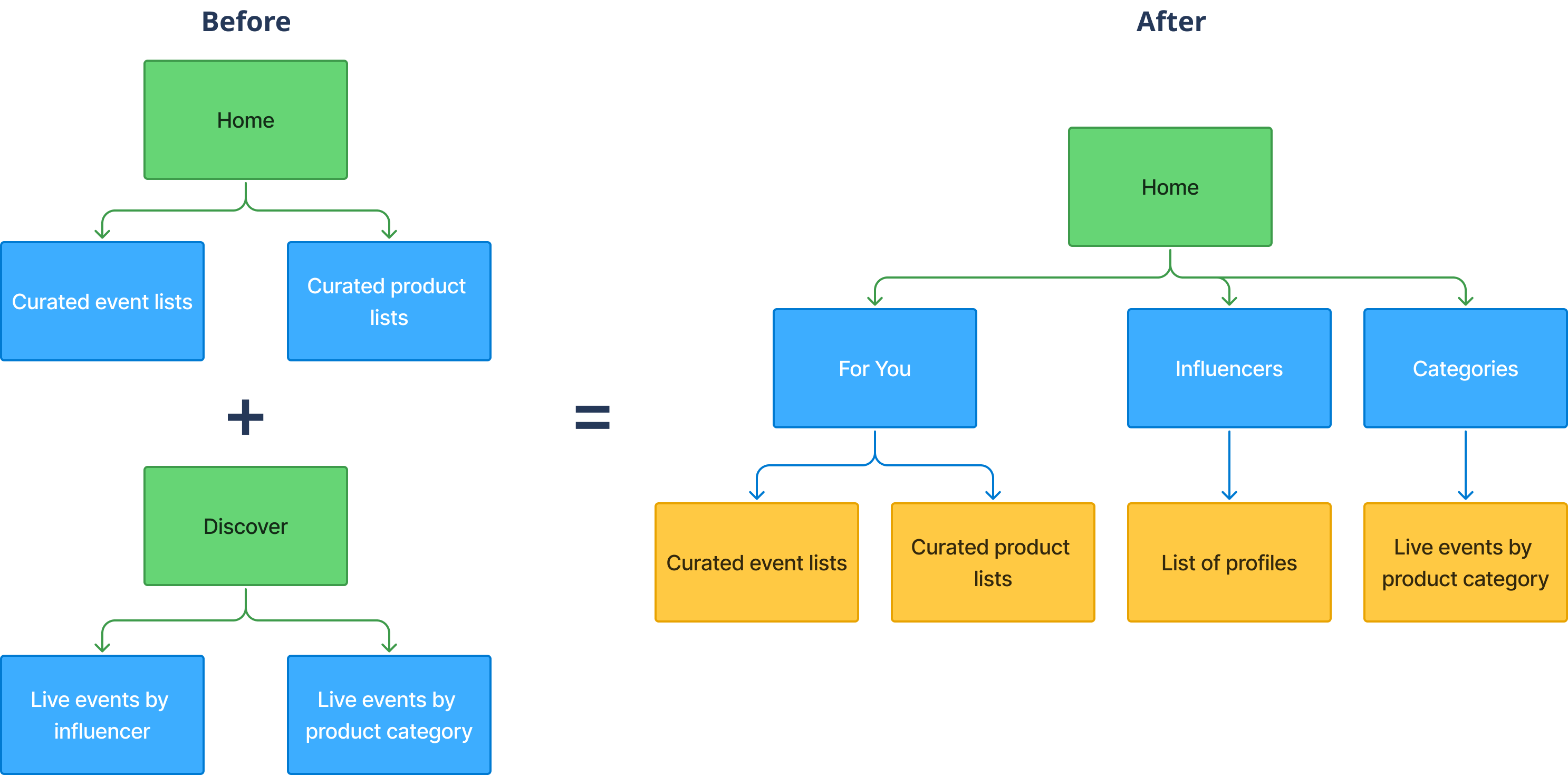
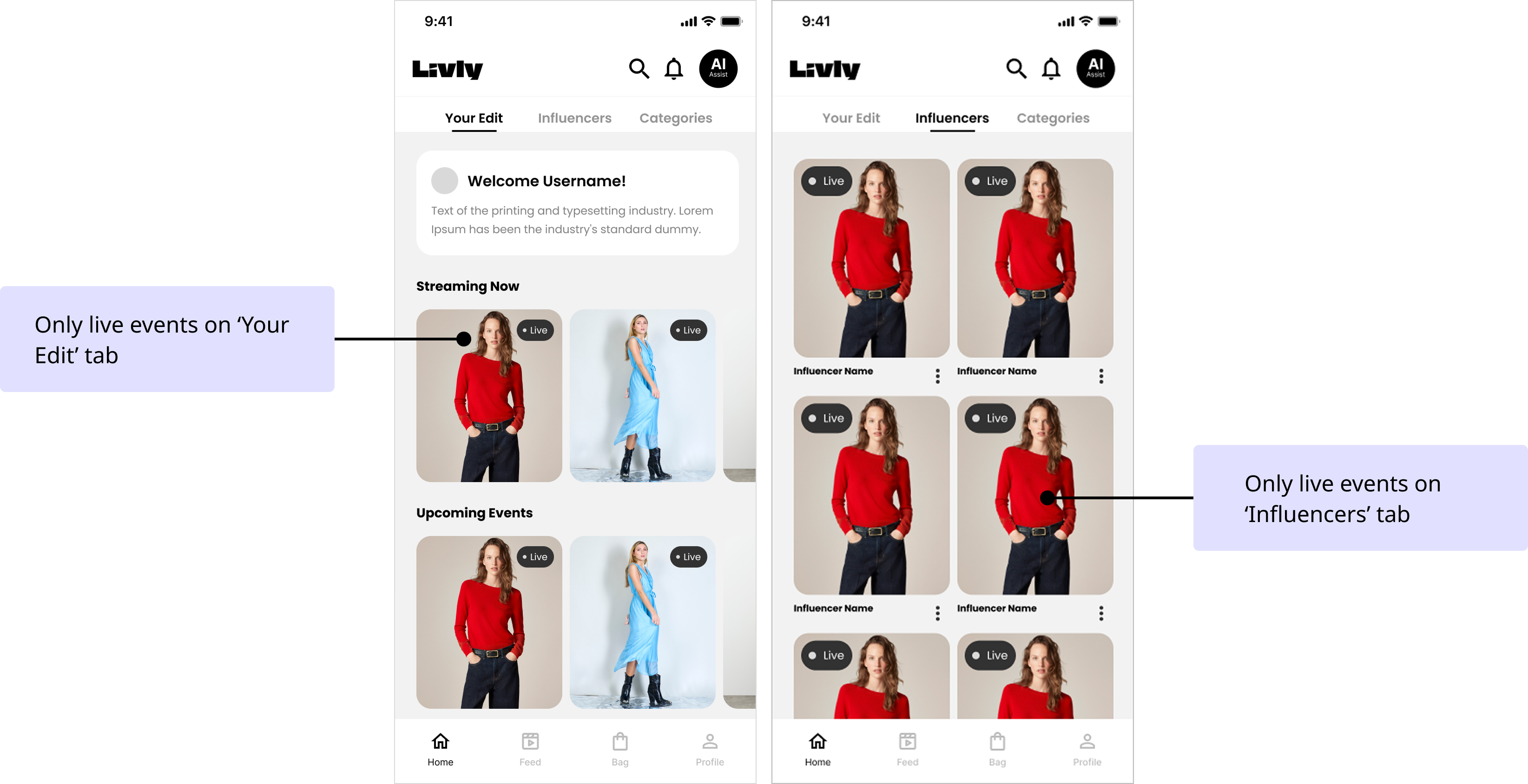
Through tree testing, we found that we needed to update a key piece of our information architecture. We found that our participants relied equally on live events, influencers, and products to find inspiration and discover new trends. So, we decided that we wanted to make discovery easier for the user. Rather than separating influencer and product pages on the 'Discover' navigation from the live events on the 'Home' navigation, we combined both.

Designing our app

Key task flows for our MVP

Before starting on wireframing, we identified three key task flows that we wanted to implement in our MVP.
Find and purchase item from a live event
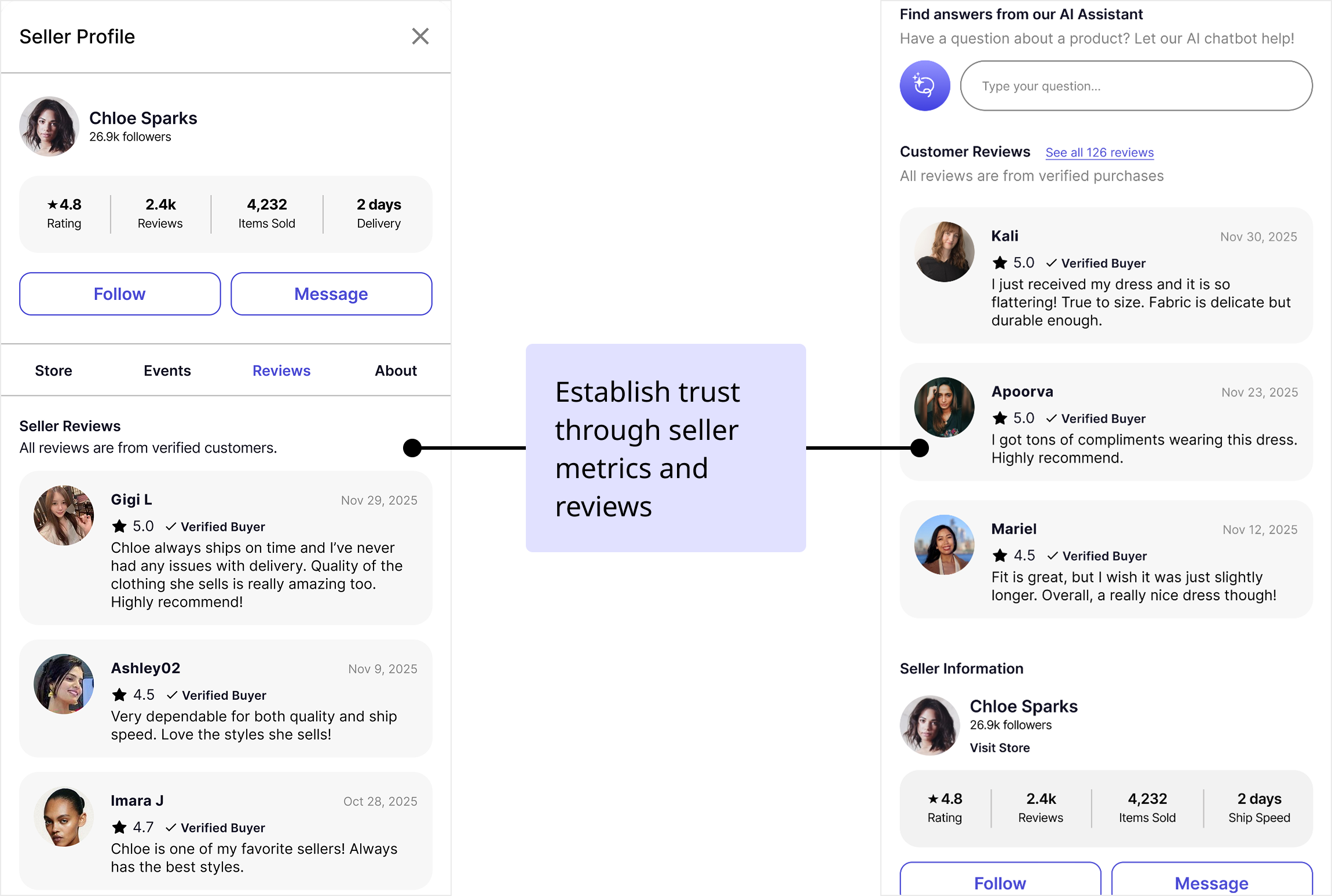
Verify seller trustworthiness
Explore influencer's full product range
Find live event
Find live event
Find live event
Find product details
Find seller information
Read product reviews
Read seller reviews
Find seller store
Add item to cart
Browse products

Making the wireframes and low-fidelity prototype

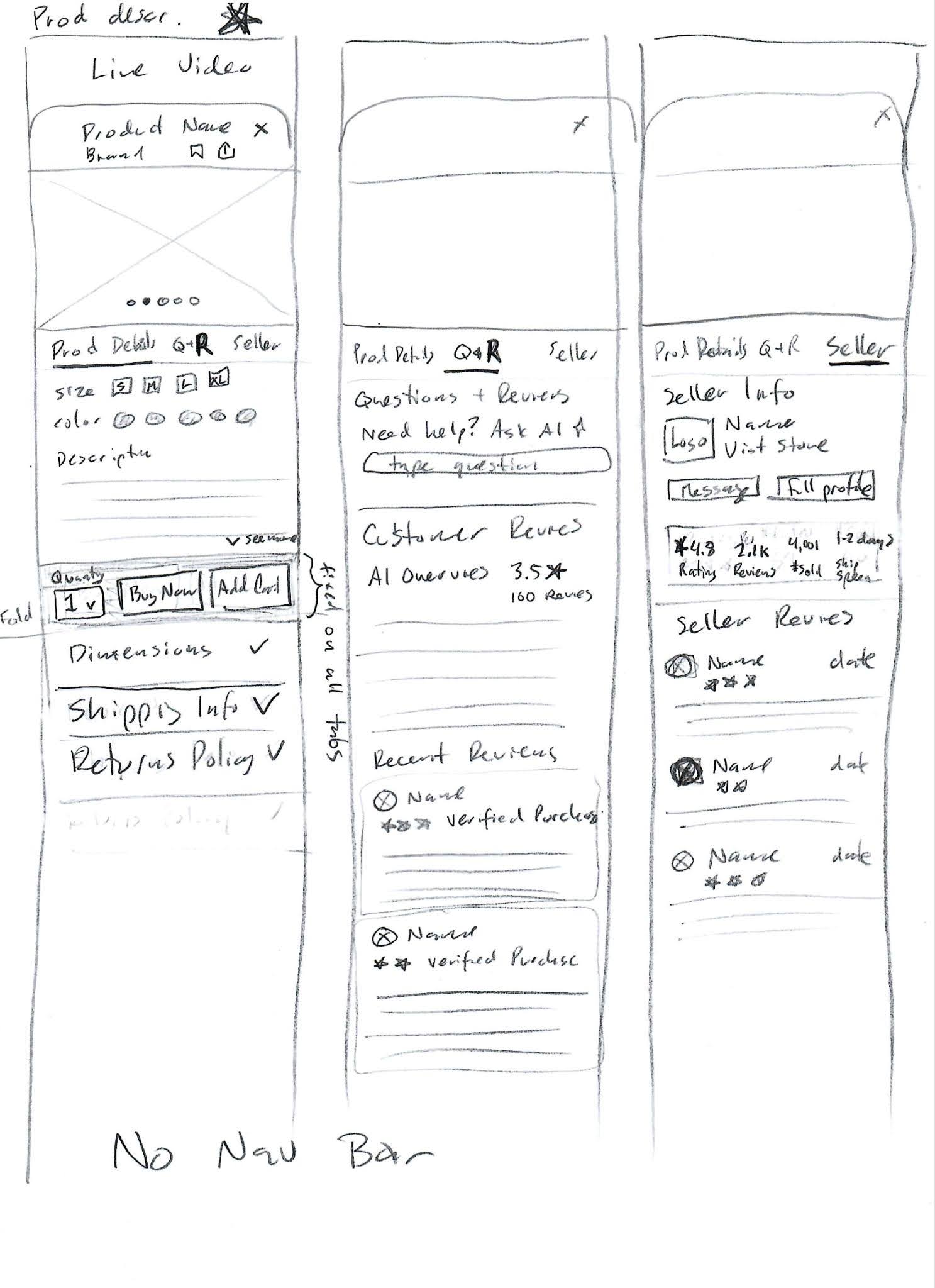
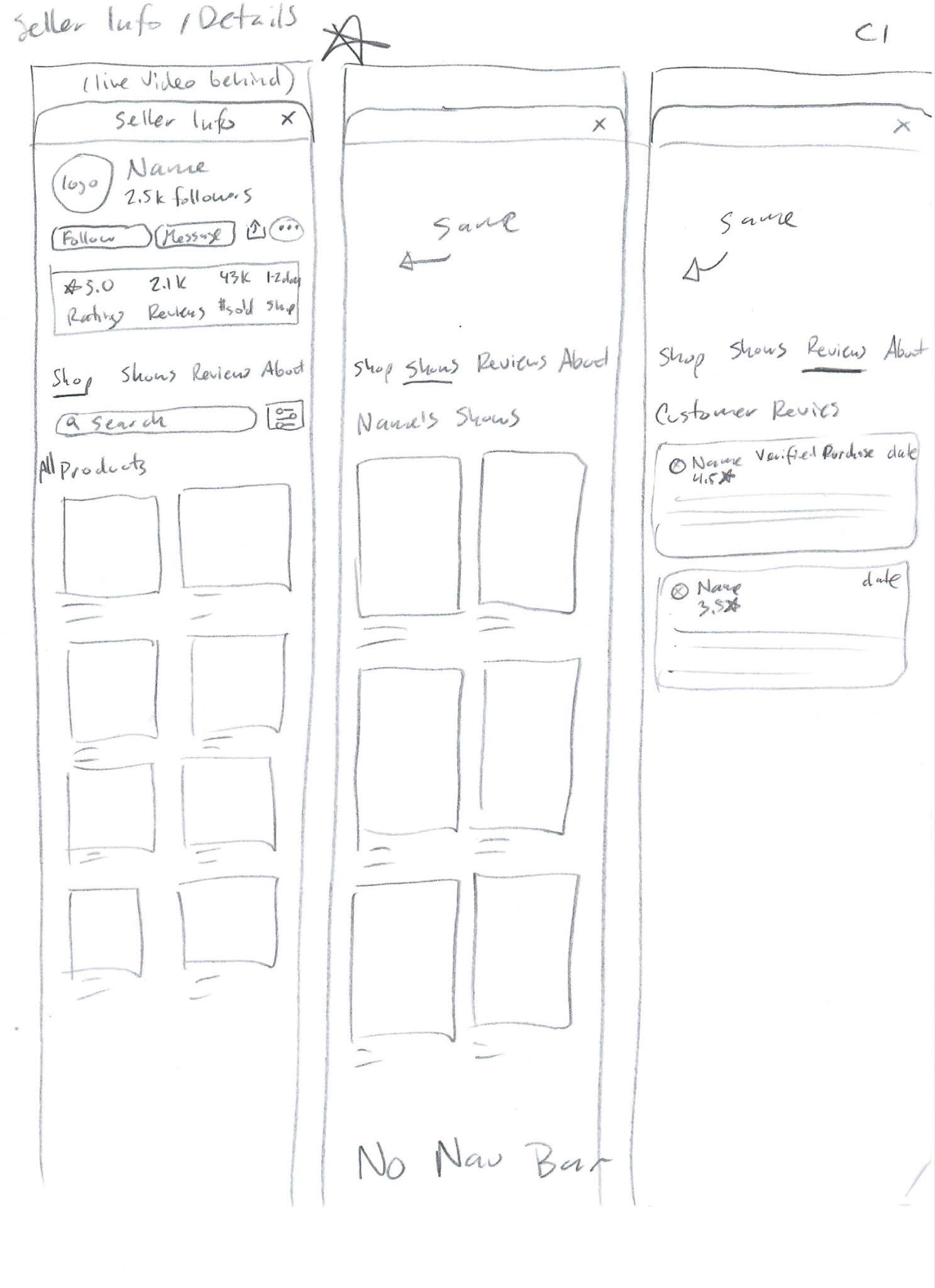
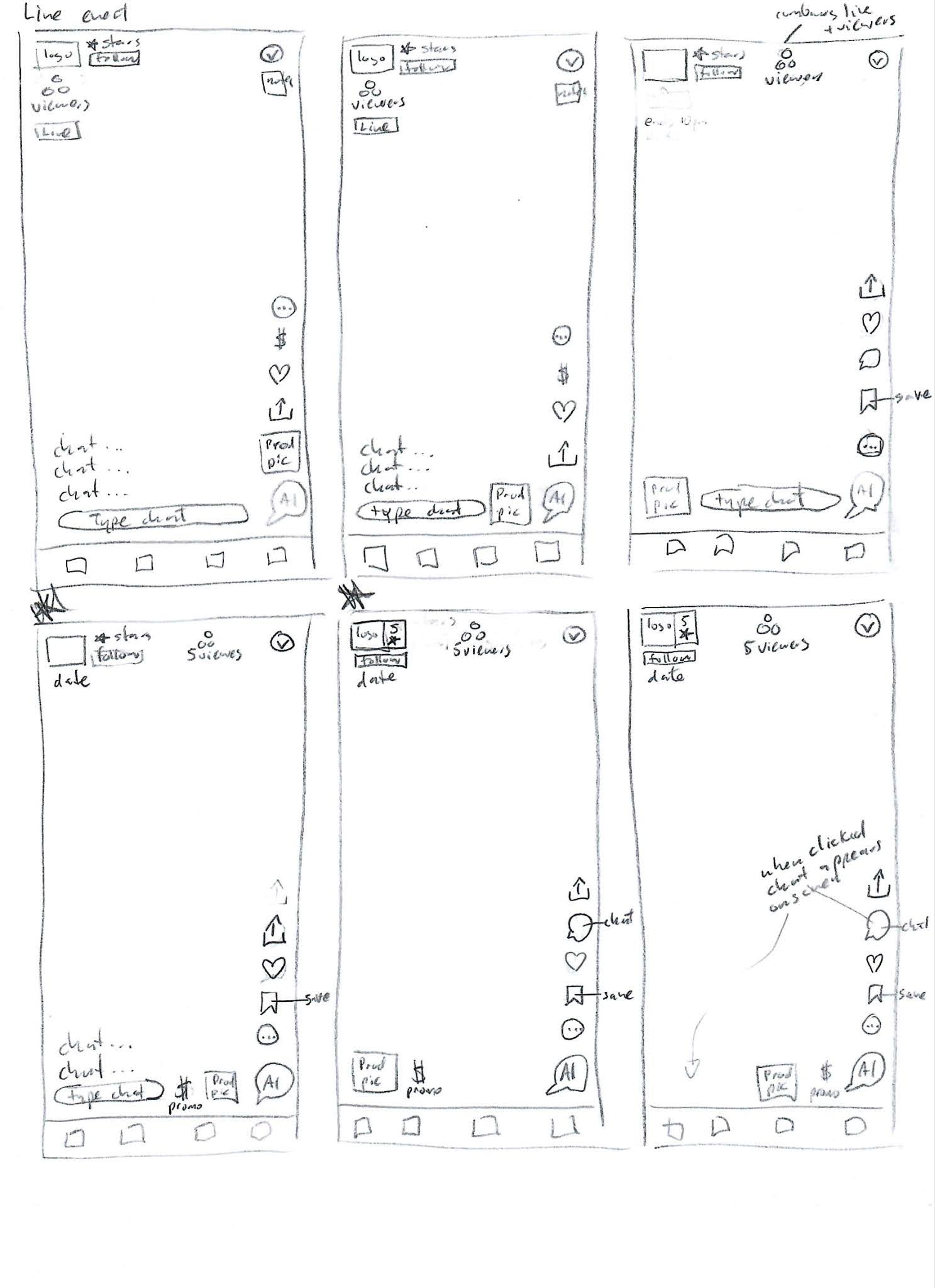
First, we started off making quick sketches of the different screens.
Then, we moved onto wireframes, focusing on our 'Home' page and live event page.
Finally, we connected the wireframes together to create a low-fidelity prototype that could support the three task flows.

Checking that our app is usable and enjoyable

How do users feel about our app?

To test the usability of our app, we conducted five 30-minute remote and in-person moderated user tests. We asked the participants to go through the three key task flows on our low-fidelity prototype, making sure to get their thoughts and opinions often. These were their thoughts.
😍 Participants liked:
  • Simplicity of layout
  • Clear navigation
  • Seller metrics and reviews
  • Product information
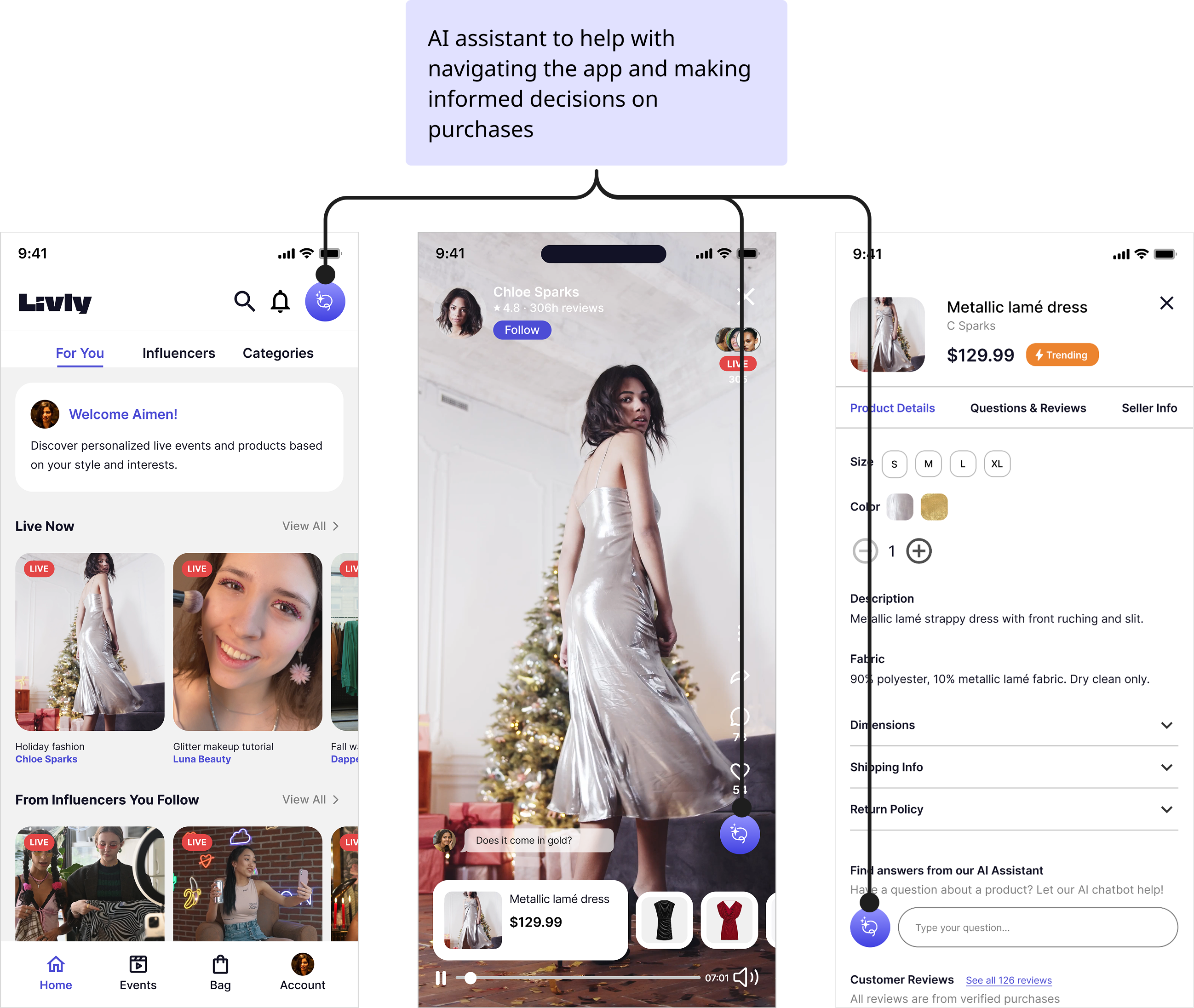
  • AI assistant
🫤 Participants didn't like or were confused by:
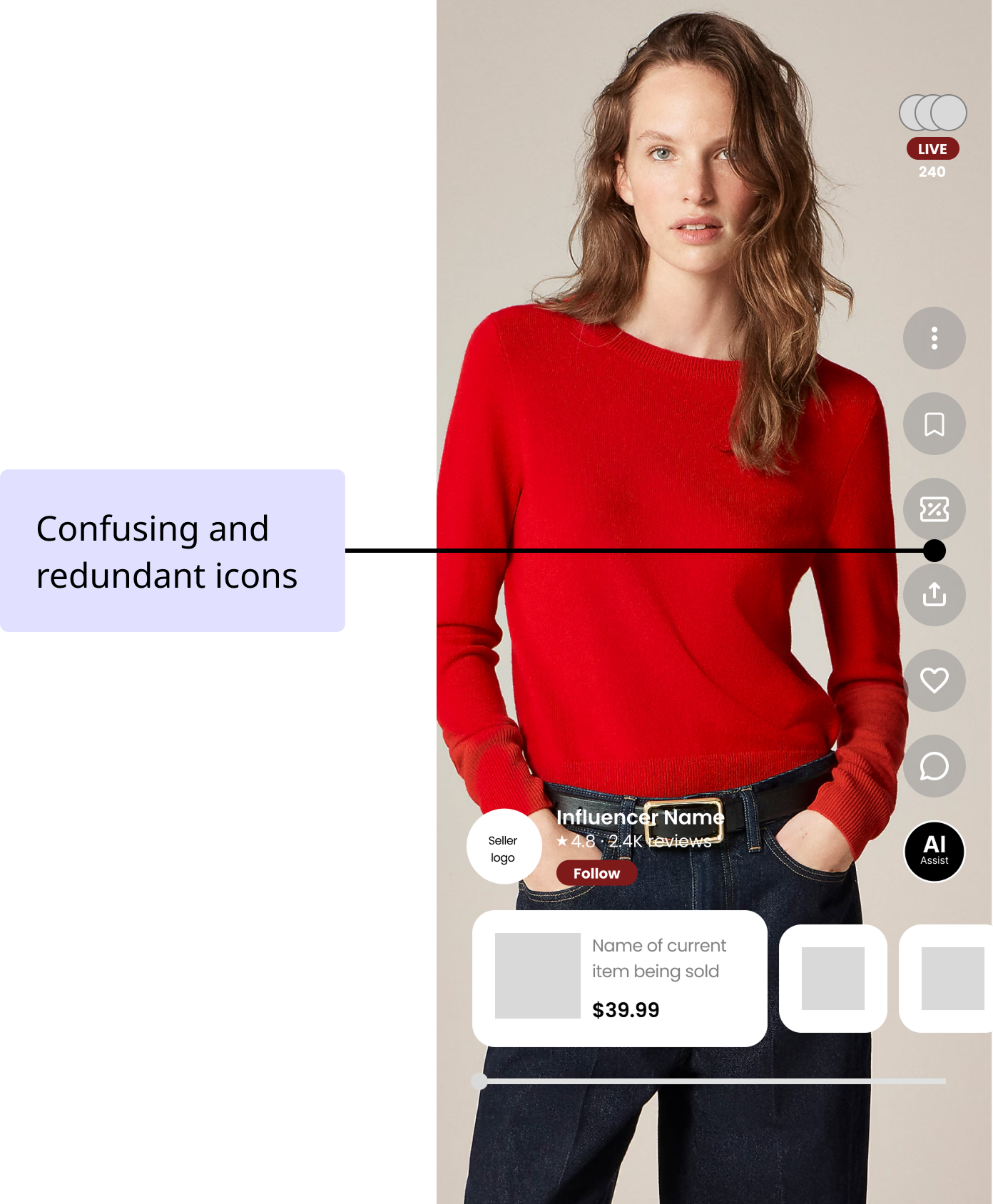
  • Live event icons
  • 'Your Edit' tab and other content choices
  • Lack of stock indicators
  • No way to filter or search through store
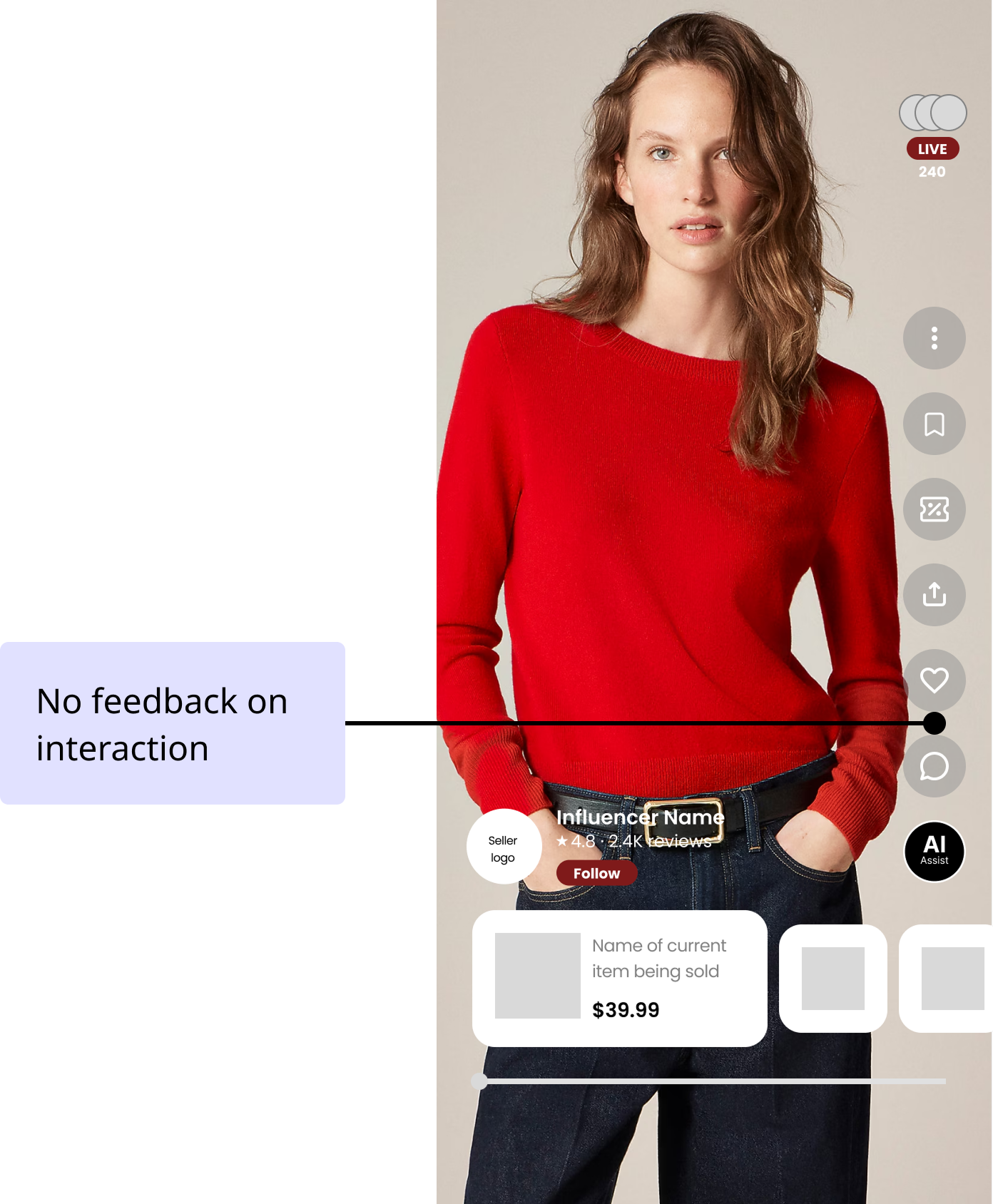
  • Missing chat on the live event

Making the high-fidelity prototype, per our users' feedback

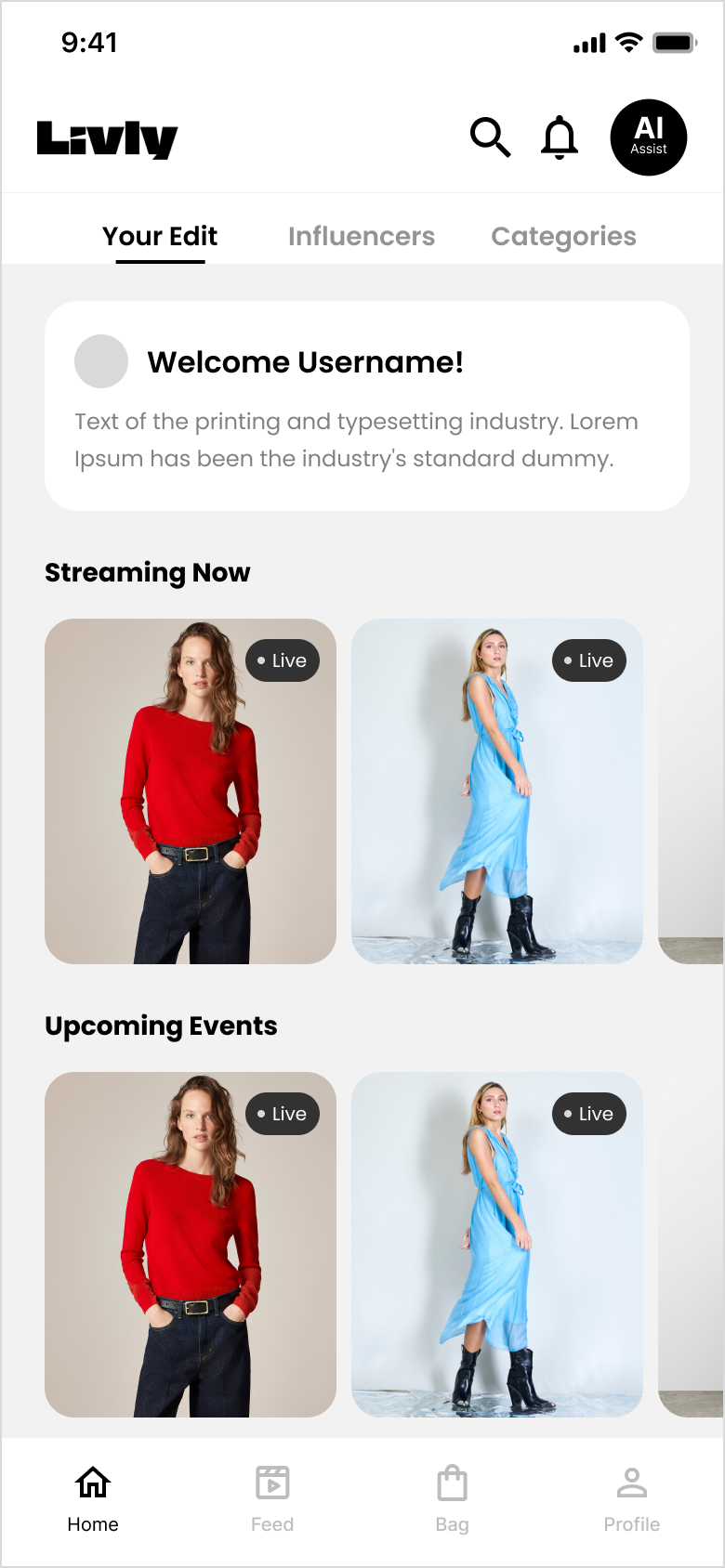
Key decision #1: An all-in-one home page

Before:
After:

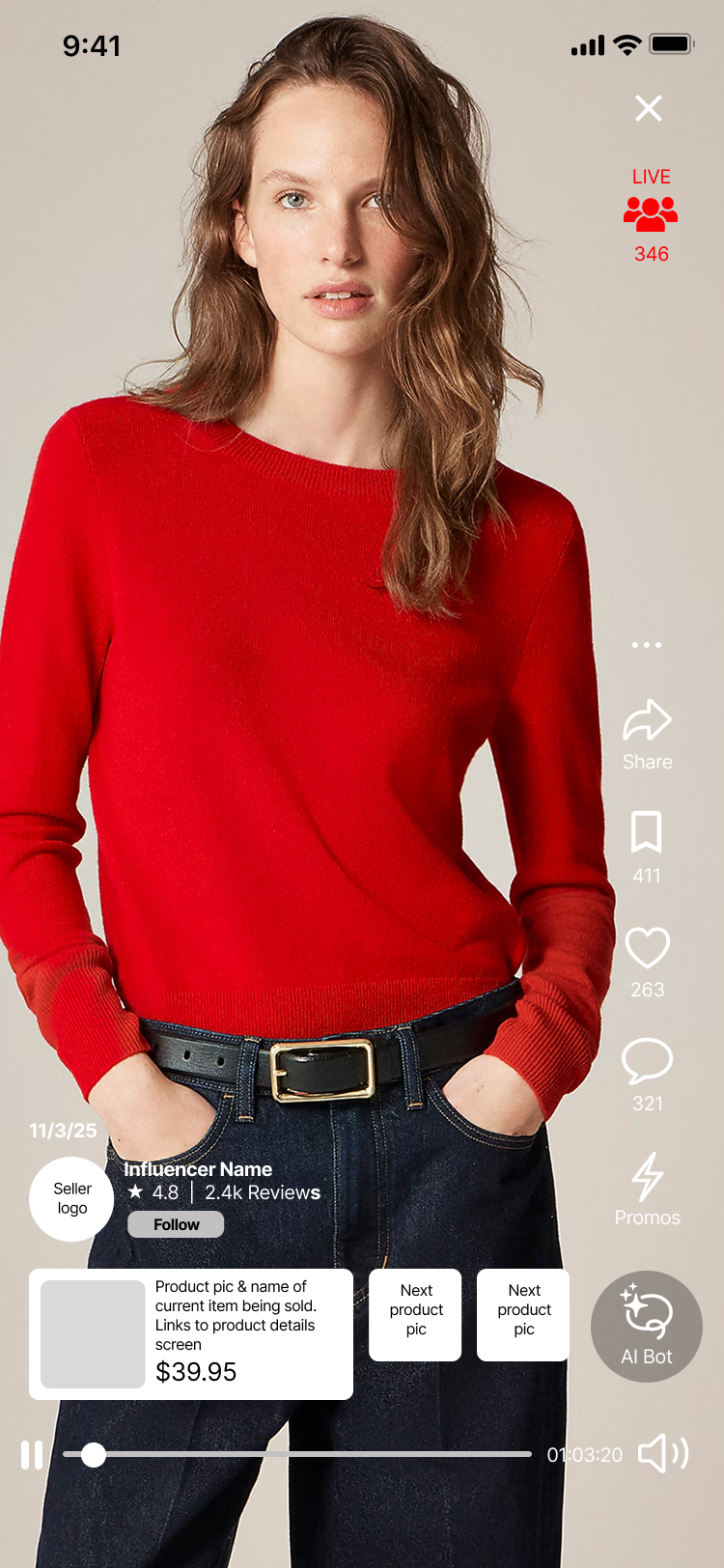
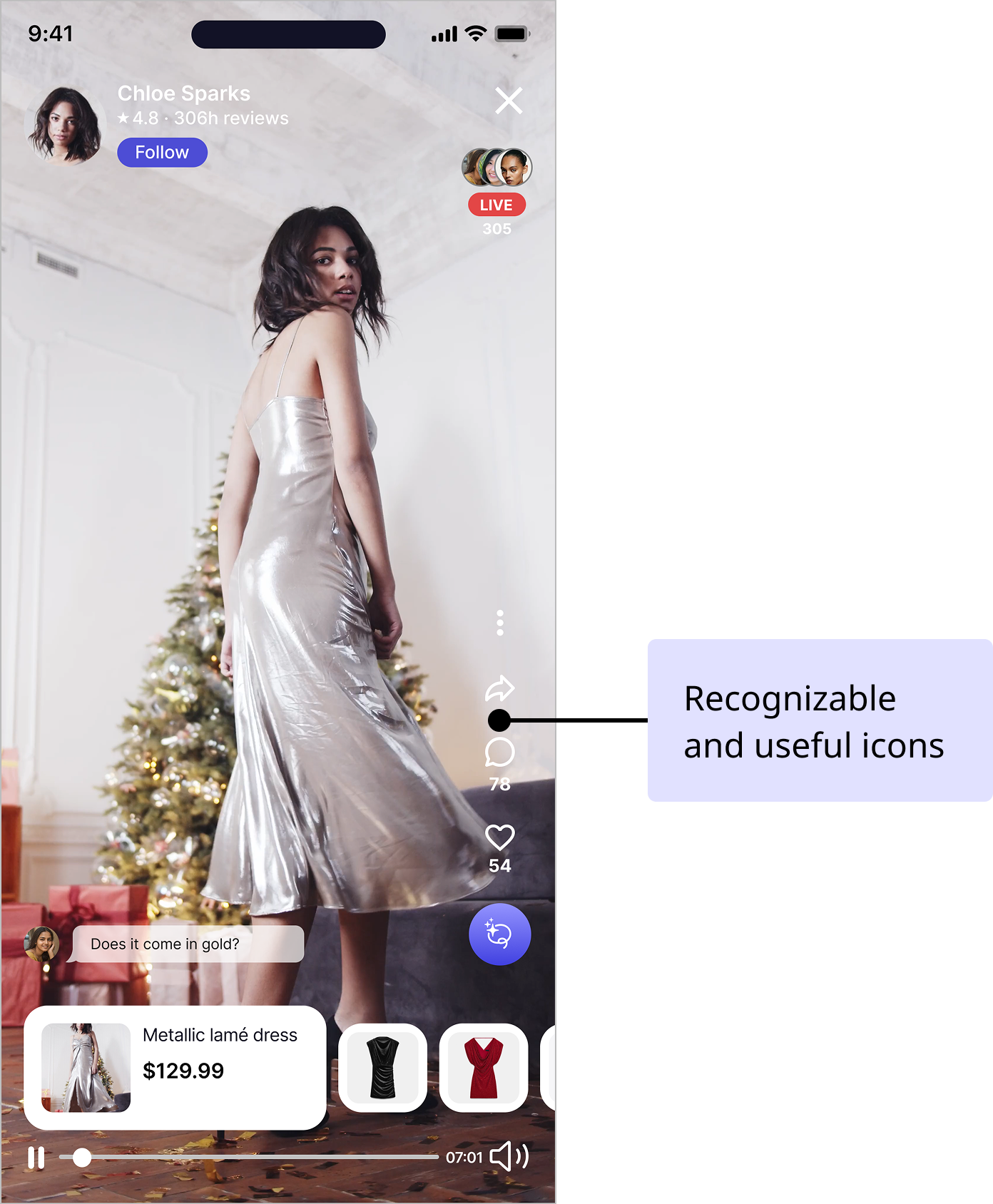
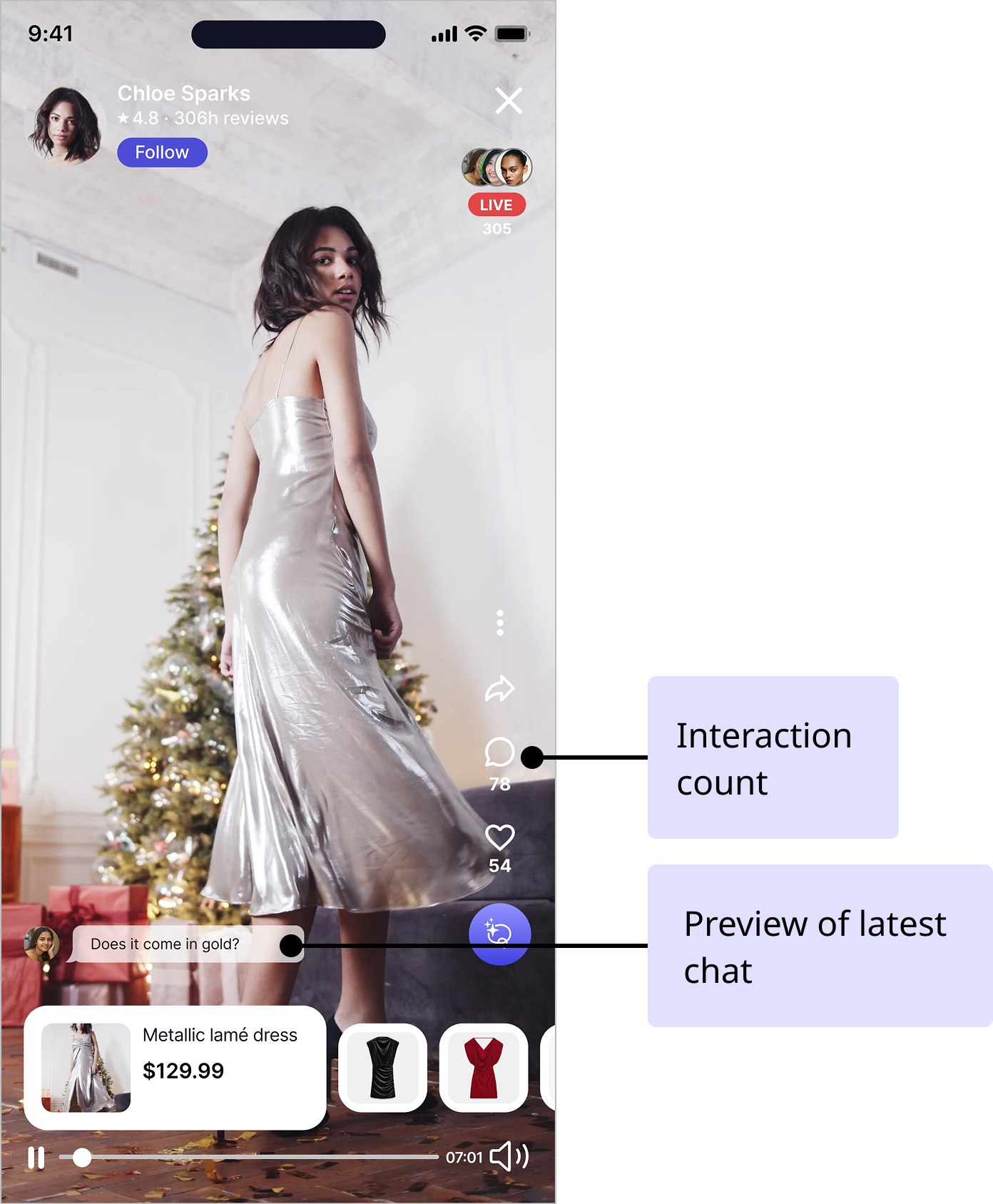
Key decision #2: A simple live event interface

Before:
After:

Key decision #3: A sense of community and interaction

Before:
After:

Key decision #5: A helpful AI assistant

Learnings and next steps

Here are a couple things that I've learned over the course of the three months spent working on Livly:
  • How to design a live shopping app, including do's and don't's 🧑‍💻
  • Best practices for interviewing users when starting out a new project, such as the right questions to ask 🙋
  • Methods of testing information architecture, such as card sorting and tree testing 🧪
If I were to continue working on this project, I'd consider doing the following:
  • Thinking about what the interface and functionality of the AI assistant would look like 💬
  • Continuing to build out the rest of the app that we didn't focus on, such as the checkout and account pages 🛍️
  • Expanding ways to personalize the experience for the user, such as integrating more user-to-user interactions 👯
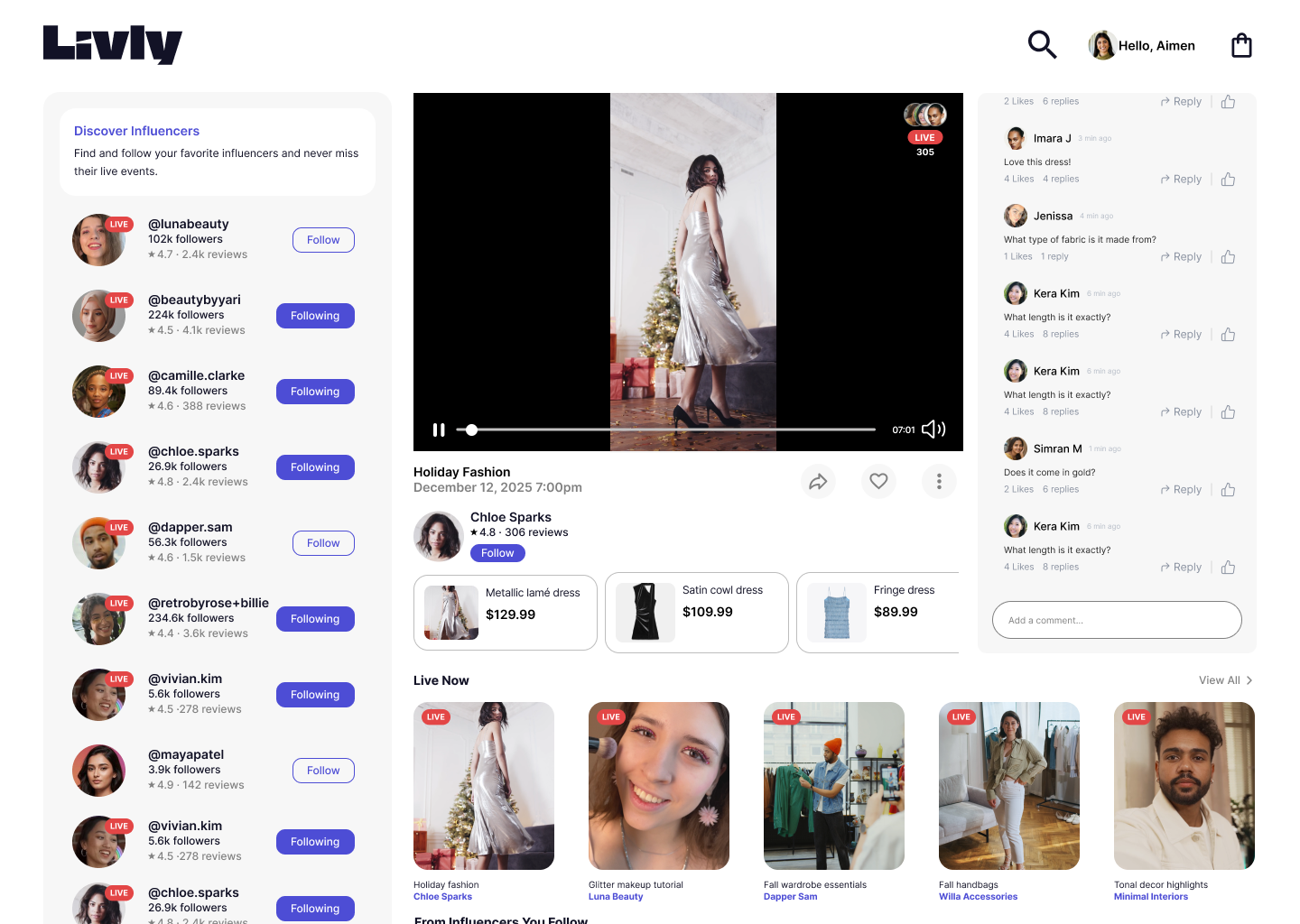
  • Build out the desktop interface 💻